#1028Pickup
6:40 pm
6:40 pm
Alex M. Direct order
2
House burgerNo onions
1
Truffle friesExtra crispy
Keep sauce on the side.


Give the whole line a clear next move. Keep items, modifiers, timing, and order status together from the first ticket to the final handoff.
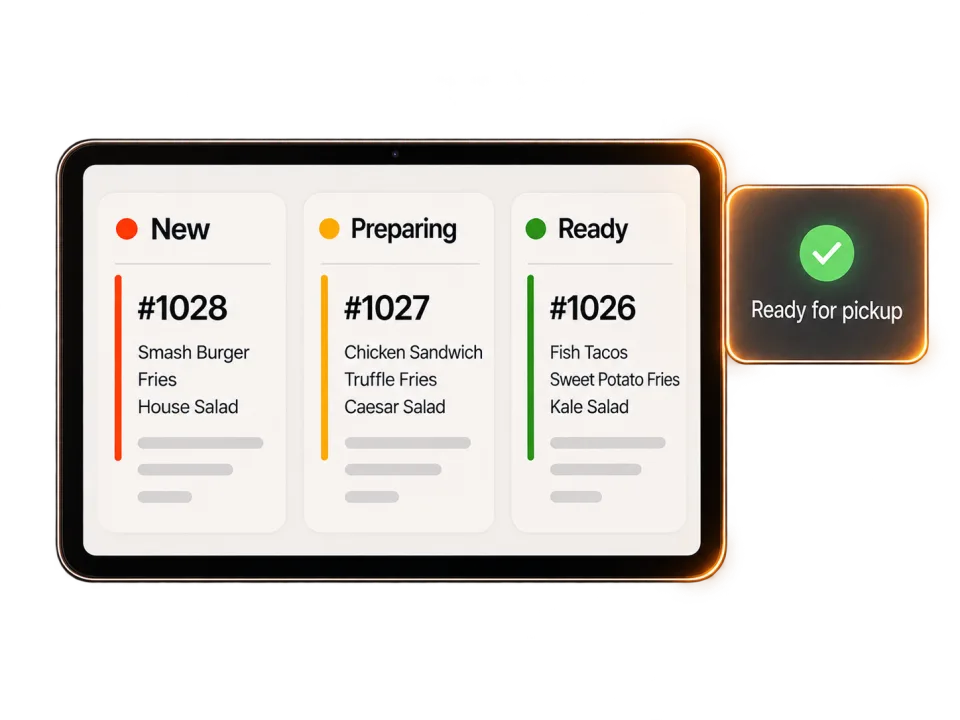
From the first look to the final handoff, keep the order—and the team—moving together.
The Neighborhood TableAll new tickets picked up.
Alex M. Direct order
A little room on the line.
The next handoff starts here.
Station routing, supported order sources, and hardware requirements depend on your setup.
Show incoming tickets with live timing/status.
Route supported orders to the appropriate prep, grill, and expo stations.
Use large order-completion controls and urgency cues.
Starter includes a live kitchen order screen. We’ll confirm hardware and station needs together.
Compare plansHow clear tickets support the line, with the routing, hardware, and fallback your kitchen needs.
A kitchen display system presents incoming orders in a structured digital workflow. Items, modifiers, timing, and order status stay together so the line has a clear next move from the first ticket to the final handoff.
Routing should reflect your real line: menu categories, prep stations, modifiers, expo responsibilities, and fallback steps when a device is unavailable.
Hardware needs depend on station count, mounting, connectivity, and service conditions. Confirm supported devices and any separate hardware costs before launch.
That depends on the order sources and connections currently supported. Map each source, duplicate prevention, routing behavior, and fallback before replacing an existing kitchen ticket path.
Define a tested fallback for receiving, acknowledging, preparing, and reconciling orders when a screen, network, or upstream service is unavailable during a shift.
Start with what would make your day easier. We’ll take it from there.
Let’s talk about your restaurant