

Find your rhythm in the rush.
Give your team a clearer view of the day, wherever it takes you.
 04 / Run your restaurant
 04 / Run your restaurant
Find your rhythm in the rush.
Give your team a clearer view of the day, wherever it takes you.
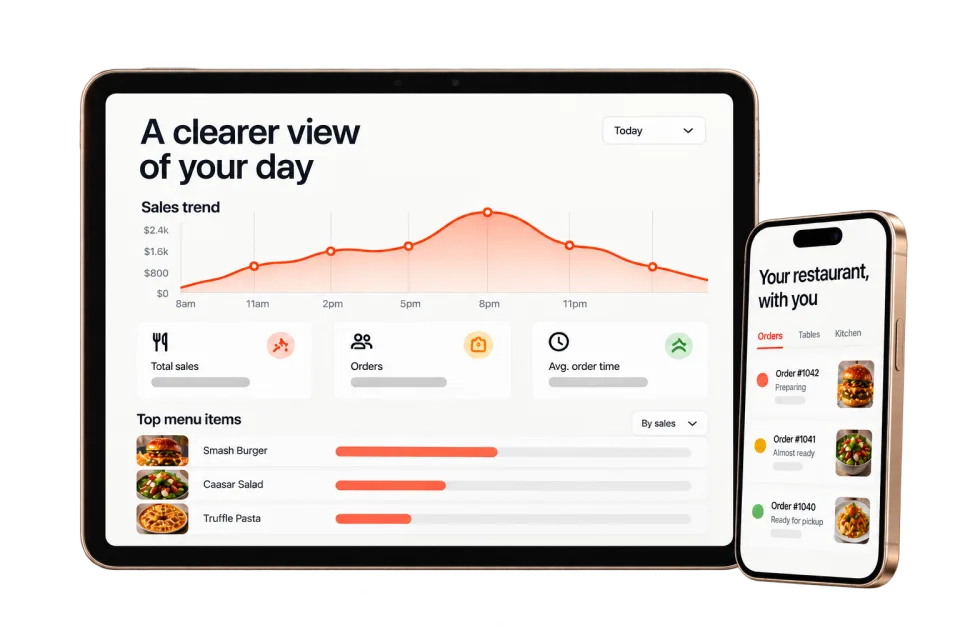
Owner Mobile AppKnow what needs your attention while you’re away from the restaurant. Check today’s orders, sales, and alerts from your phone.Kitchen Display SystemGive the whole line a clear next move. Keep items, modifiers, timing, and order status together from the first ticket to the final handoff.POS IntegrationsGive your team fewer details to enter twice. Connect direct orders and menu updates with a compatible POS, keeping the important details attached.Analytics & ForecastingMake the next menu or service decision with a clearer picture. Bring sales, order trends, and menu performance into one view.Customer CRMMake the next visit feel personal. Bring order history, guest preferences, and useful notes together so your team can pick up where the last visit left off.
Frequently asked questions
How KitchenRush approaches connected restaurant operations.
A practical view of connected restaurant operations, including the workflow and the limits of what software alone can promise.
What does a restaurant operating system connect?
It connects supported order, kitchen, guest, and reporting workflows so operators can make fewer manual handoffs between disconnected tools.
Can KitchenRush replace every operating tool at once?
Not for every restaurant. The growth plan should identify what can connect, what can be replaced, and what should remain in place.
How should a restaurant roll out new operating workflows?
Roll out around the real shift: define owners, test exceptions, train the people doing the work, and phase changes when operational risk is high.
Let’s make a little more room.Your restaurant.
Your restaurant.
Its next chapter.
Start with what would make your day easier. We’ll take it from there.
Let’s talk about your restaurant